
Skip to content
BlogMarch 20, 2026

When HiBob Is Your Source of Truth

Rohi Rikman
When HiBob Is Your Source of Truth
Most identity platforms are configured once and then drift. The IdP has the org chart from six months ago. The HR system has been updated 50 times since then — new hires, promotions, reorgs, contractor conversions — and none of it flowed downstream. The result: Active Directory has the wrong department for half the engineering team, Entra ID shows reporting lines from two restructures ago, and the extension attributes that should drive Conditional Access logic are either empty or stale. The HR system has clean data. The IdP does not. For an OT Security client, I built a sync between HiBob (their HRIS) and Entra ID / on-premises AD that runs on a schedule and keeps 18 attributes current. Here's how it works. HiBob is the HR system of record. It owns:
  • Department and sub-department
  • Job title and job level
  • Manager (reporting line)
  • Employment type (full-time, part-time, contractor)
  • Start date and tenure
  • Site/office location
  • Cost center
  • Custom fields: clearance level, team function, contractor company
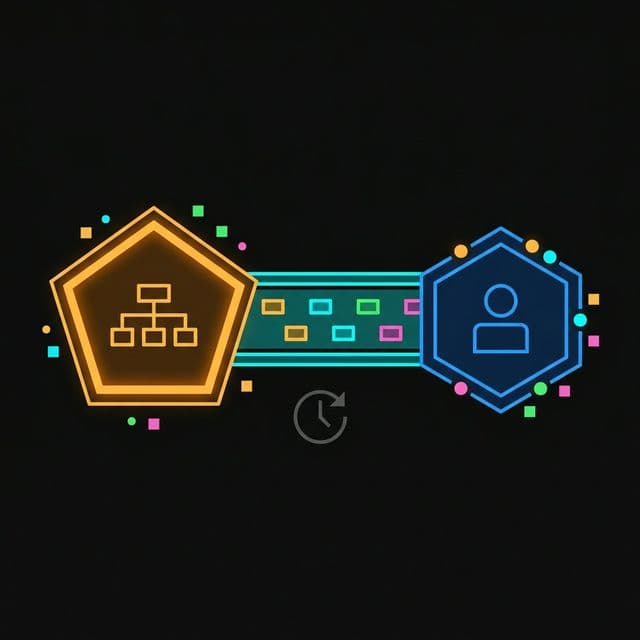
Entra ID has fields that map to most of these — department, jobTitle, manager, employeeType, extensionAttribute1–15 — but they're only as current as the last time someone manually updated them. At most clients, that's "not recently." Three components: HiBob API — the source. HiBob has a REST API with token-based auth. The key endpoints are /v1/people (list all employees) and /v1/people/{id} (get individual profile). The API returns rich profile data including all custom fields. Azure Automation Runbook — the sync engine. A PowerShell runbook runs on a schedule (nightly + on-demand for urgent updates). It calls the HiBob API, normalizes the data, and writes changes to Entra ID via Microsoft Graph and to on-premises AD via the AD module. Entra ID + on-premises AD — the targets. The runbook writes to both. For most attributes, Entra ID is updated via Graph API and the change propagates to AD via Entra Connect sync. For attributes that only exist on-prem (like certain extension attributes not synced to Entra), the runbook writes directly to AD. The runbook follows a compare-then-write pattern to avoid unnecessary writes:
  1. Pull all active employee records from HiBob API
  2. For each employee, look up the corresponding Entra ID user (matched by email or employee ID stored in employeeId attribute)
  3. Compare the HiBob values against current Entra ID attribute values
  4. If any value differs, write the update via Graph API
  5. Log every change with before/after values to a Log Analytics workspace
This means the runbook only writes when there's an actual difference — not on every run, not for every user. This keeps the audit log clean (changes are meaningful) and avoids triggering unnecessary sync cycles in Entra Connect. The 18 attributes synced in this implementation:
HiBob FieldEntra ID Attribute
Departmentdepartment
Job TitlejobTitle
Managermanager (reference)
Employment TypeemployeeType
Office LocationofficeLocation
Cost Centerextension_attribute_1
Contractor Flagextension_attribute_2
Clearance Levelextension_attribute_3
Team Functionextension_attribute_4
Contractor Companyextension_attribute_5
Start DateemployeeHireDate
Display NamedisplayName
Preferred Name(custom)
SiteusageLocation
Employee IDemployeeId
Sub-Departmentextension_attribute_6
Job Levelextension_attribute_7
Profile Picture(via separate process)
The manager sync is the most complex. HiBob stores the manager as an employee ID reference. The runbook resolves this to an Entra ID object ID and sets the manager attribute as a directory reference — not just a display name string. Profile pictures are handled separately. HiBob stores profile photos accessible via the API. The runbook downloads the photo, resizes it to the Microsoft 365 preferred size (648×648), and uploads it via the Graph API (/users/{id}/photo/$value). This keeps profile pictures in M365, Teams, and Outlook current — which matters more than it sounds for a distributed team. One of the higher-value outcomes of this sync is accurate contractor flagging. HiBob has an employment type field that distinguishes full-time employees from contractors. The runbook sets extension_attribute_2 to contractor or employee accordingly. This attribute drives Conditional Access policies. Contractors get a stricter policy set: phishing-resistant MFA required for all apps, no persistent browser sessions, stricter sign-in frequency. Full-time employees get the standard policy set with SSO and longer session lifetimes. Without the sync, this distinction was manually maintained and frequently wrong — contractors who converted to FTE still had contractor-tier policies, and new contractors started with FTE-tier access until someone noticed. Employee ID mismatches. If HiBob and Entra ID have inconsistent employee IDs (which happens during migrations, acquisitions, or manual ID assignment), the sync can't match records. We built a reconciliation report that flags unmatched HiBob employees weekly so the IT team can fix the mapping manually. Manager chains with circular references. A misconfigured org chart in HiBob can create circular manager references that break the Graph API call. The runbook catches these and logs them rather than failing. API rate limits. HiBob's API has rate limits. For orgs with 500+ employees, a naive implementation that calls /v1/people/{id} for every employee will hit them. Use /v1/people with field expansion to pull all employees in one call. This runbook has been running for over 18 months at this client. It has processed thousands of attribute updates — reorgs, promotions, contractor conversions, new hires, terminations (though terminations have their own dedicated workflow). The Entra ID directory now reflects HiBob accurately. Conditional Access policies that depend on employment type work correctly. The IT team no longer gets support tickets about wrong department values.
The pattern generalises to any HRIS. Workday, BambooHR, Personio — if it has an API and you have Entra ID, you can build this sync. The core principle is the same: the HR system is the source of truth for people data. The IdP should be downstream of it, not a separate silo that drifts.
Share this post: